
Introduction: ChatGPT Is More Than Just a Chatbot!
Artificial Intelligence is gradually becoming a part of our everyday lives, and ChatGPT is one of the easiest ways to experience its benefits.
Whether you want to write a professional email, plan your day, learn something new, prepare a shopping list, or brainstorm creative ideas, ChatGPT can help you get things done more efficiently.
But here’s something interesting: You don’t need to be a technology expert to use it!
With the right instructions (also known as prompts), ChatGPT can act as your personal writing assistant, learning companion, brainstorming partner, and productivity helper.
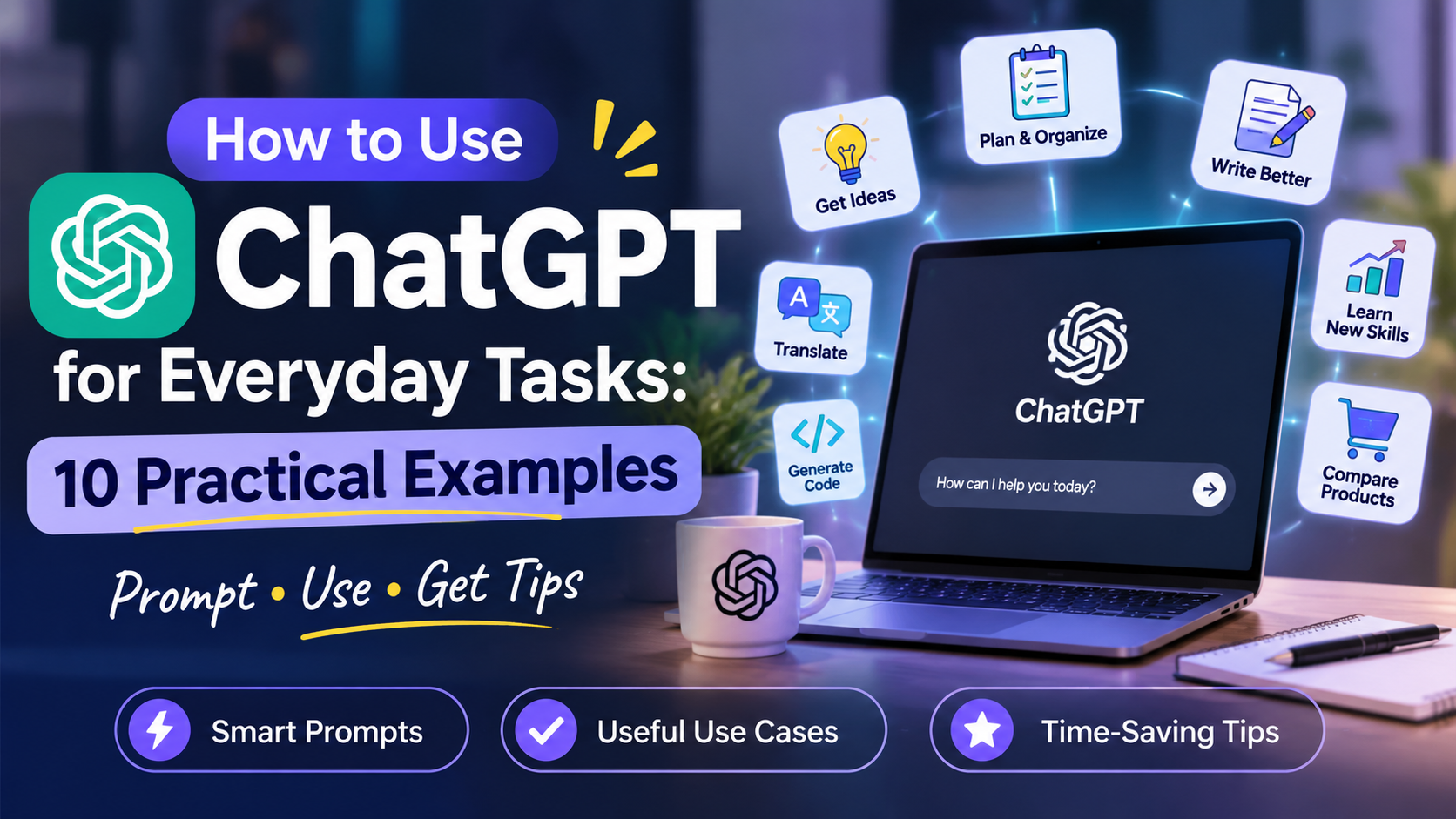
In this guide, we’ll explore 10 practical ways to use ChatGPT for everyday tasks, along with ready-to-copy prompts and quick tips to help you get better results.
Let’s get started!
What Is ChatGPT and How Does It Work?
ChatGPT is an AI-powered conversational assistant developed by OpenAI. It understands natural-language instructions and generates responses based on the context of your conversation.
You can interact with it by typing questions, giving instructions, sharing supported files or images, and using voice features where available.
For example, instead of searching for multiple websites to understand a topic, you can simply ask ChatGPT to explain it in simple language.
The best part? You can ask follow-up questions to refine its answers until you get what you need.
Getting started:
Visit ChatGPT.
Sign in or create an account.
Type your question or instruction in the message box.
Press Enter to generate a response.
Continue the conversation if you want more details or changes.
Now, let’s explore how you can use it in your everyday routine.
10 Practical Ways to Use ChatGPT for Everyday Tasks
1. Plan Your Daily Schedule and Stay Organized
Do you often find yourself juggling multiple tasks without knowing where to begin?
ChatGPT can help you create a structured daily schedule based on your priorities, available time, and deadlines.
You can use it to:
Create daily or weekly schedules.
Prioritize important tasks.
Build morning and evening routines.
Break large tasks into smaller steps.
Create realistic to-do lists.
Copy-and-Paste Prompt:
“Act as my personal productivity assistant. Create a daily schedule for me from 7 AM to 10 PM. Include 2 hours of learning, 1 hour of exercise, 8 hours of work, meal breaks, and some relaxation time. Arrange everything realistically and prioritize important tasks.”
Example Result: ChatGPT can organize your activities into a time-based schedule, helping you understand how to manage your day more effectively.
Quick Tip: Tell ChatGPT which tasks are most important and how much time you actually have. This helps it create a more realistic schedule.
2. Write Professional Emails and Messages
Writing emails can sometimes take more time than expected, especially when you want to sound professional, polite, and clear.
ChatGPT can help you draft:
Job application emails.
Leave requests.
Meeting invitations.
Follow-up emails.
Customer support responses.
Professional WhatsApp messages.
Copy-and-Paste Prompt:
“Write a professional email to my manager requesting two days of leave due to a personal commitment. Keep the tone polite and respectful. Make it concise and include an appropriate subject line.”
Example Result: Instead of struggling with the wording, you get a ready-to-edit email that communicates your request professionally.
Quick Tip: Mention the tone you want, such as formal, friendly, persuasive, or conversational. You can also ask ChatGPT to make an existing email shorter or more professional.
3. Learn New Skills and Understand Difficult Topics
Want to learn digital marketing, understand a complicated concept, or explore a new subject?
ChatGPT can act as a learning companion by explaining concepts at your preferred level.
You can use it to:
Understand difficult topics in simple language.
Learn new terminology.
Generate practice questions.
Prepare for interviews.
Create study plans.
Get step-by-step explanations.
Copy-and-Paste Prompt:
“Act as a beginner-friendly digital marketing trainer. Teach me the basics of SEO in simple language. Explain important terms with real-life examples, divide the topic into small lessons, and give me five practice questions at the end.”
Example Result: ChatGPT can create a structured learning session with explanations, examples, and questions to test your understanding.
Quick Tip: Ask ChatGPT to teach you one topic at a time. You can also request examples from real businesses to make learning easier.
4. Generate Creative Ideas for Social Media
If you manage a social media account, run a business, or create content, you probably know how challenging it can be to come up with fresh ideas regularly.
ChatGPT can help you brainstorm content ideas and create initial drafts.
You can use it for:
Instagram captions.
Reel ideas and scripts.
LinkedIn posts.
Carousel content.
Content calendars.
Hashtag suggestions.
Copy-and-Paste Prompt:
“Act as a social media content strategist. Generate 10 creative Instagram Reel ideas for a digital marketing education page targeting beginners. For each idea, provide a catchy opening hook, a short video concept, and a call to action.”
Example Result: You’ll receive multiple content ideas that you can develop into actual social media posts and videos.
Quick Tip: Always mention your target audience, platform, niche, and content objective. This helps generate more relevant ideas instead of generic suggestions.
5. Plan Meals and Create Grocery Shopping Lists
Wondering what to cook every day or how to organize your weekly grocery shopping?
ChatGPT can help you plan meals based on your preferences, available ingredients, and budget.
You can use it to:
Create weekly meal plans.
Suggest recipes using available ingredients.
Prepare grocery shopping lists.
Find alternatives for ingredients.
Organize simple cooking schedules.
Copy-and-Paste Prompt:
“Create a simple 7-day meal plan for one person. I prefer easy-to-prepare home-cooked meals. Include breakfast, lunch, evening snacks, and dinner. Use commonly available ingredients and prepare a consolidated grocery shopping list at the end.”
Example Result: ChatGPT can provide a weekly meal plan along with a shopping list organized by food categories.
Quick Tip: Mention your dietary preferences, allergies, budget, and available ingredients. Always check ingredients and cooking instructions before preparing a recipe.
6. Compare Products Before Shopping
Shopping online can become confusing when multiple products offer similar features at different prices.
ChatGPT can help you understand product specifications and create comparison checklists.
You can use it to:
Compare smartphones and laptops.
Understand technical specifications.
Identify features worth considering.
Create shopping checklists.
Evaluate the pros and cons of different options.
Copy-and-Paste Prompt:
“Help me compare two smartphones: [Phone A] and [Phone B]. Create a comparison table covering camera quality, battery life, processor, display, storage, software support, and value for money. Explain which one would be better for someone who primarily uses a phone for photography, social media, and everyday tasks.”
Example Result: You can get a structured comparison that makes it easier to understand the differences between the products.
Quick Tip: Provide your budget and intended usage. For current prices, availability, and specifications, verify information with official product websites or trusted retailers.
7. Summarize Long Documents and Articles
Have you ever opened a lengthy article or document and wished you could understand its key points without reading every single word?
ChatGPT can help summarize supported documents and text into shorter, easier-to-understand versions.
You can use it to:
Summarize lengthy articles.
Extract important points from PDFs.
Convert complex information into bullet points.
Create meeting summaries.
Identify key takeaways from study material.
Copy-and-Paste Prompt:
“Summarize the following article in simple language. Extract the five most important points, explain any difficult terms, and provide a short conclusion. Keep the summary beginner-friendly and avoid unnecessary details.
[Paste your article here]”
Example Result: ChatGPT can turn lengthy content into a structured summary that is easier to read and understand.
Quick Tip: You can also upload supported documents and ask specific questions about their contents. Avoid sharing confidential or sensitive information.
8. Practice a New Language and Improve Communication
Learning a new language becomes easier when you have opportunities to practice regularly.
ChatGPT can help you improve your vocabulary, grammar, sentence formation, and conversational skills.
You can use it to:
Practice everyday conversations.
Translate sentences.
Correct grammatical mistakes.
Learn new vocabulary.
Practice interview conversations.
Improve professional communication.
Copy-and-Paste Prompt:
“Act as my English-speaking practice partner. I am a beginner who wants to improve conversational English. Start a simple everyday conversation with me. Ask one question at a time, correct my grammatical mistakes politely, and explain better ways to express my thoughts.”
Example Result: ChatGPT can engage in a conversational practice session, helping you identify mistakes and learn alternative expressions.
Quick Tip: Practice for 10–15 minutes every day. Ask ChatGPT to explain why a sentence is incorrect rather than simply giving you the corrected version.
9. Brainstorm Solutions to Everyday Problems
Sometimes, the biggest challenge isn’t completing a task but figuring out where to start.
Whether you’re planning an event, organizing your workspace, preparing a presentation, or trying to solve a routine problem, ChatGPT can help you explore different approaches.
You can use it to:
Generate creative solutions.
Brainstorm event ideas.
Organize personal projects.
Prepare presentation outlines.
Find alternative approaches to a problem.
Copy-and-Paste Prompt:
“I need to organize a small birthday celebration at home for 10 people within a budget of ₹5,000. Suggest creative decoration ideas, simple food options, activities, and a shopping checklist. Keep everything budget-friendly and practical.”
Example Result: ChatGPT can suggest a celebration plan with ideas, estimated budget allocations, and a checklist to help you get started.
Quick Tip: Give ChatGPT a clear budget, available resources, and your expectations. Ask for three different approaches if you want more choices.
10. Create To-Do Lists and Personal Productivity Systems
Apart from planning your daily schedule, ChatGPT can help you organize ongoing responsibilities and personal goals.
For example, you can use it to create:
Weekly task trackers.
Habit-building plans.
Project checklists.
Monthly goal-setting plans.
Personal organization systems.
Copy-and-Paste Prompt:
“Help me create a weekly productivity tracker. Include sections for daily priorities, pending tasks, completed tasks, learning goals, and personal habits. Organize it in a simple table from Monday to Sunday. Keep the format easy to copy into Excel or Google Sheets.”
Example Result: ChatGPT can generate a structured weekly tracker that you can copy into a spreadsheet and customize.
Quick Tip: Review your progress at the end of each week and ask ChatGPT to help you identify unfinished tasks and plan the following week.
Quick Reference: 10 Everyday Tasks You Can Simplify with ChatGPT
| Everyday Task | How ChatGPT Helps |
|---|---|
| Daily planning | Creates schedules and to-do lists |
| Email writing | Drafts professional messages |
| Learning | Explains topics and creates practice questions |
| Social media | Generates content ideas and captions |
| Meal planning | Suggests meals and grocery lists |
| Online shopping | Compares products and specifications |
| Reading | Summarizes articles and documents |
| Language learning | Helps with grammar and conversation |
| Problem-solving | Generates creative solutions |
| Productivity | Creates trackers and checklists |
7 Quick Tips to Get Better Results from ChatGPT
Knowing how to use ChatGPT is important, but knowing how to give it the right instructions makes an even bigger difference.
Here are seven simple tips to improve your results.
1. Be Specific With Your Instructions
Avoid asking vague questions. Instead of saying “Help me with marketing,” explain exactly what you want to learn or accomplish.
2. Provide Context
Tell ChatGPT about your objective, audience, experience level, or situation. More relevant context generally leads to more useful responses.
3. Assign a Role
Start your prompt with instructions such as “Act as a teacher,” “Act as a content writer,” or “Act as a productivity coach.”
4. Specify the Desired Format
Tell ChatGPT whether you want a table, checklist, bullet points, email, article, or step-by-step explanation.
5. Ask Follow-Up Questions
You don’t have to accept the first response. Ask it to simplify, expand, rewrite, or provide additional examples.
6. Give Feedback and Refine Your Prompt
If the response isn’t what you expected, explain what needs improvement. For example, ask for a more conversational tone or fewer technical terms.
7. Verify Important Information
ChatGPT can sometimes produce inaccurate or outdated information. Always verify important facts, statistics, prices, and professional advice using reliable sources.
A Simple Formula for Writing Better ChatGPT Prompts
Want to create your own effective prompts instead of relying on ready-made examples?
Try this simple formula:
Role + Task + Context + Format + Tone
Here’s how it works:
| Prompt Element | What It Means | Example |
|---|---|---|
| Role | Who should ChatGPT act as? | Act as a career coach |
| Task | What should it do? | Create an interview preparation plan |
| Context | What should it know? | I am a beginner in digital marketing |
| Format | How should the answer look? | Provide a 7-day table |
| Tone | How should it communicate? | Keep it simple and encouraging |
Example of a Complete Prompt:
“Act as an experienced career coach. Create a 7-day interview preparation plan for a beginner applying for digital marketing positions. Include important topics, practical exercises, and common interview questions. Present everything in a simple table using beginner-friendly language.”
This formula can help you write clearer instructions and get responses that are more closely aligned with your expectations.
Things to Keep in Mind While Using ChatGPT
Although ChatGPT is a powerful productivity tool, it isn’t perfect.
Before relying on its responses, remember these important points:
Check important information: AI-generated responses can contain factual errors.
Protect your privacy: Avoid sharing passwords, banking details, confidential business information, or other sensitive personal data.
Don’t blindly follow recommendations: Use your own judgment, especially when making financial, medical, or legal decisions.
Verify current information: Prices, product details, policies, and news can change.
Use AI as an assistant, not a replacement: Your creativity, experience, and critical thinking remain important.
The goal is to use ChatGPT to support your work, not to stop thinking independently.
Frequently Asked Questions (FAQs)
1. Can I use ChatGPT for free?
Yes. ChatGPT offers a free plan that allows users to access its conversational AI features. However, usage limits and access to certain advanced features may vary depending on the plan.
2. Is ChatGPT suitable for beginners?
Absolutely! You don’t need coding skills or technical knowledge to get started. You can simply type your questions or instructions in everyday language.
3. Can ChatGPT help me with my daily work?
Yes. ChatGPT can assist with writing emails, organizing schedules, brainstorming ideas, summarizing documents, learning new skills, and many other tasks.
4. How do I write a good ChatGPT prompt?
A good prompt should clearly explain what you want, provide relevant context, and specify the desired response format. Adding a role and tone can also improve the results.
5. Can ChatGPT create content for social media?
Yes. It can help generate Instagram captions, LinkedIn posts, Reel scripts, content calendars, and creative campaign ideas. You should review and personalize the content before publishing it.
6. Does ChatGPT always provide accurate answers?
No. ChatGPT can sometimes generate incorrect or outdated information. Always verify important facts using trustworthy sources.
7. Can I use ChatGPT on my mobile phone?
Yes. You can access ChatGPT through its mobile app or a mobile web browser. Available features may vary depending on your device, region, and account.
8. Can ChatGPT replace Google Search?
Not entirely. ChatGPT is useful for explanations, brainstorming, content creation, and conversational assistance. Search engines remain valuable for discovering websites, comparing sources, and finding information directly from publishers. ChatGPT can also search the web when the relevant search feature is available.
Conclusion: Make ChatGPT Your Everyday Productivity Partner
ChatGPT is much more than a tool for answering questions. When used effectively, it can become a valuable assistant for organizing your day, improving communication, learning new skills, generating creative ideas, and simplifying routine activities.
You don’t need to start with complicated prompts or advanced AI features. Begin with something simple, experiment with different instructions, and gradually discover what works best for you.
Here’s a small challenge:
Pick any three tasks from the examples above and try using ChatGPT for them today. Experiment with the prompts, modify the instructions, and see how much easier those tasks become.
Remember, the secret isn’t just using AI. It’s learning how to use it smartly!
Explore more practical AI guides and digital tips on DigiKoinos, where we make the digital world easier to understand.
Want to know whether it’s worth paying for? Read our full ChatGPT review for a breakdown of pricing, strengths, and limitations.