
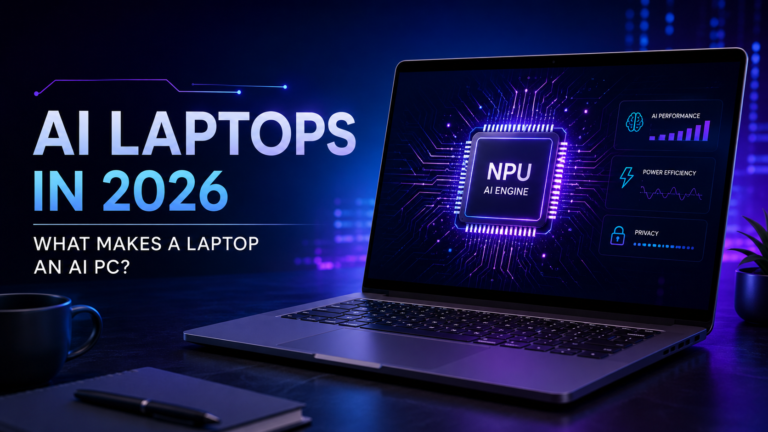
What is an AI PC, how does an NPU work, and is it worth buying one?
Imagine opening your laptop and asking it to summarize a document, improve a photo, or help you write something—all while some of the work happens directly on your device.
That is the idea behind the new generation of AI laptops.But what actually makes a laptop an AI PC? Is it simply a faster processor, or is there something more happening inside?
In 2026, AI PCs are becoming a bigger part of the laptop market. Manufacturers are adding specialized AI hardware, while software developers are creating more AI-powered features. But the terminology can be confusing, especially if you are buying a laptop for the first time.
In this guide, we’ll explain what an AI PC is, how an NPU works, what Copilot+ PCs mean, and whether an AI laptop is worth considering for your next upgrade.
What Is an AI PC?
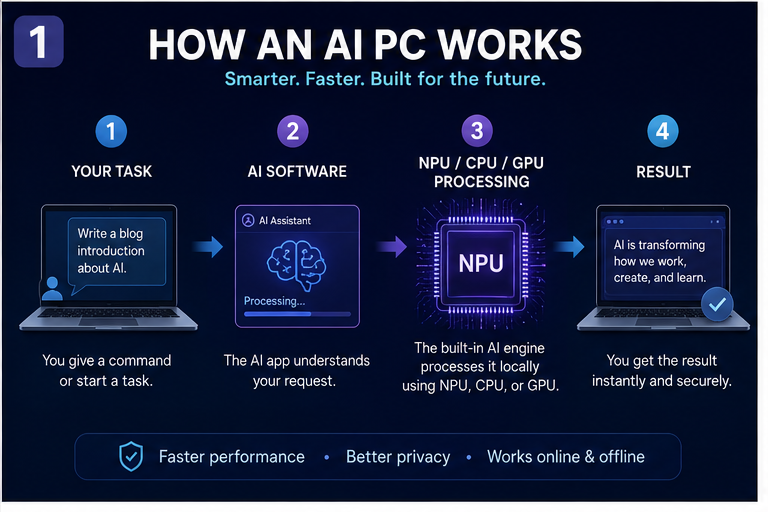
An AI PC is a computer designed to handle certain artificial intelligence workloads using a combination of its CPU, GPU, and NPU.
A regular laptop can already use AI services through the internet. For example, you can open an AI chatbot in your browser and ask it a question.
The difference is that an AI PC is designed to support more AI processing directly on the device, depending on the hardware and software.
This can be useful for tasks such as:
- AI-assisted writing
- Image and video enhancement
- Real-time translation
- Voice and audio processing
- Compatible local AI applications
However, an AI PC does not mean every AI feature works offline. Some features still depend on cloud services.
Simple explanation: A regular laptop can use AI. An AI PC is designed to handle more compatible AI work on the device itself.
What Is an NPU, and Why Does It Matter?
One of the most important terms you will see in AI laptop specifications is NPU.
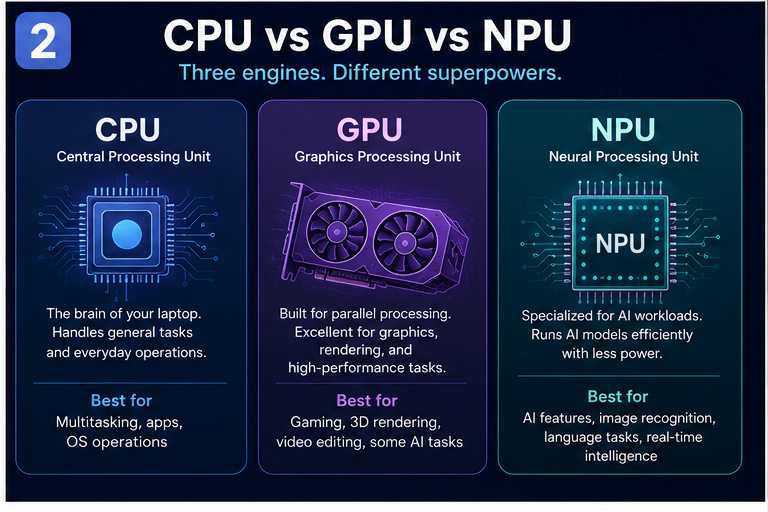
NPU stands for Neural Processing Unit. It is a specialized processor designed for certain AI calculations.
Think of it this way:
- CPU: Handles general computing and everyday operations.
- GPU: Handles graphics and highly parallel workloads.
- NPU: Handles compatible AI workloads efficiently.
The NPU works alongside the CPU and GPU rather than replacing them.
For example, if you are editing a video, the CPU may handle general application tasks, the GPU may help with graphics processing, and the NPU may accelerate a supported AI feature.
The exact benefits depend on the software. An NPU only becomes useful when applications are designed to take advantage of it.
What Does TOPS Mean?
You may also see TOPS mentioned in AI laptop specifications.
TOPS stands for trillions of operations per second. It is one way to describe AI-processing capability.But TOPS is not the same as overall laptop performance. A laptop with a higher TOPS rating is not automatically better at gaming, video editing, or every other task.
Buying tip: Look at the complete laptop—not just the NPU number.
AI PC vs Regular Laptop: What’s the Difference?
The biggest difference is specialized AI hardware and the software that can use it.
A regular laptop can still run many AI applications, especially through cloud services. An AI PC is designed to support more compatible AI workloads locally.
| Feature | Regular Laptop | AI PC |
|---|---|---|
| General computing | CPU handles everyday tasks | CPU still handles everyday tasks |
| AI hardware | May rely mainly on CPU/GPU | Includes specialized AI acceleration typically an NPU |
| Local AI | Depends on hardware and software support | Designed to support more compatible on-device AI workloads |
| Battery efficiency | Depends on processor and design | An NPU may improve efficiency for supported AI tasks |
| AI features | Can use cloud-based AI services | Can support compatible local and cloud AI features |
| Best reason to buy | General performance and value | AI workloads newer features and long-term capability |
The important point is that AI PC does not automatically mean faster at everything.
If you mainly browse the web, use office apps, and watch videos, a well-balanced regular laptop may still be the better value.
AI PC vs Copilot+ PC: Are They the Same?
You may have noticed the term Copilot+ PC appearing in laptop advertisements.
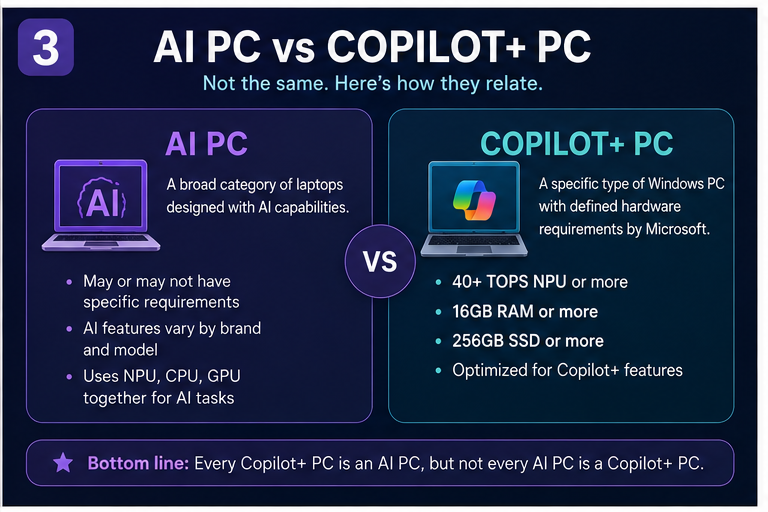
It is related to AI PCs, but the two terms are not identical.AI PC is a broad category.
Copilot+ PC is a specific class of Windows PC with defined hardware requirements and compatible AI experiences.
Microsoft’s Copilot+ PC requirements include a 40+ TOPS NPU, along with minimum memory and storage requirements.
The simple difference
| Term | Meaning |
|---|---|
|
AI PC |
A broad category of computers designed with AI capabilities |
|
Copilot+ PC |
A specific Windows PC category with defined hardware requirements |
|
NPU |
The specialized AI processor inside many AI PCs |
A Copilot+ PC is an AI PC, but not every AI PC is a Copilot+ PC.
What Can AI Laptops Actually Do?
The most useful way to understand AI laptops is to look at what they can help you do.
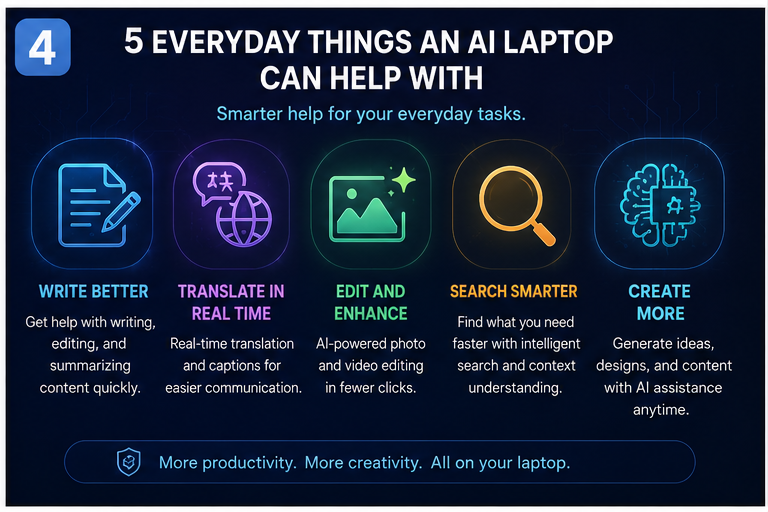
- Write and work more efficiently
Compatible AI features can help with writing, editing, summarizing, and organizing information.For example, an AI-powered writing tool may help you improve a paragraph or create a first draft.
- Translate and communicate
Some AI PCs support compatible translation and captioning features that can make communication easier.These features can be especially useful during meetings, online classes, or when working with content in another language.
- Edit photos and videos
AI-assisted creative tools can help with tasks such as image enhancement, background removal, and other supported editing workflows.For content creators, this can make certain repetitive tasks easier.
- Search more intelligently
AI-powered search can help users find information more naturally, depending on the software and available features.Instead of remembering an exact filename, you may be able to describe what you are looking for.
- Create more with AI
AI tools can help generate ideas, assist with content creation, and support creative workflows.But the quality of the result still depends on the software, the task, and the user.
Remember: These are capabilities, not guarantees. Always check which AI features are actually supported on the laptop you are considering.
What Should You Look for When Buying an AI Laptop in 2026?
If you are planning to buy an AI laptop, do not focus only on the words AI or NPU in the product description.Instead, look at the complete hardware and what you actually need the laptop to do.
- NPU capability
Look for a dedicated NPU and understand what AI features it supports.
A higher TOPS rating can be useful for comparing AI-processing capability, but it should not be the only deciding factor.
- CPU and GPU performance
A laptop still needs a capable processor and graphics solution.
If you plan to edit videos, play games, or run demanding software, CPU and GPU performance remain important.
- RAM and storage
Choose enough memory and storage for your workload.
For example, a content creator may need more RAM and storage than someone who mainly uses a browser and office apps.
- Battery life
An NPU may improve efficiency for supported AI tasks, but overall battery life depends on the complete laptop design.
Look at real-world battery testing when available.
- Software compatibility
Check whether the AI features you want are supported on that model.
A laptop may have an NPU, but that does not mean every AI application will use it.
- Price and long-term value
Do not pay a premium for AI branding alone.
Compare the laptop’s overall performance, battery life, display, build quality, and price.
Buying tip: Start with your workload, then choose the AI features that genuinely support it.
Do You Really Need an AI Laptop?
The answer depends on how you use your laptop.
Students
An AI laptop may be useful for compatible study, writing, and productivity tools.
But if your main needs are browsing, documents, and online classes, a regular laptop may still be enough.
Professionals
If you use AI-assisted workflows regularly, an AI PC may offer useful capabilities.
For example, compatible writing, translation, or productivity features could make everyday work easier.
Content creators
AI laptops may be useful for compatible creative tools, especially when working with image, video, or other AI-assisted applications.
However, the CPU, GPU, RAM, and storage still matter greatly.
Developers
Developers who want to experiment with local AI applications may value an AI PC.
But the right choice depends on the software, models, and workloads they plan to run.
Casual users
If you mainly browse the web, watch videos, and use office apps, compare the price carefully.
You may not need to pay extra for AI features you will rarely use.
Why AI PCs Are Becoming More Important in 2026
AI PCs are becoming a bigger part of the laptop market, and manufacturers are competing on local AI performance, battery life, and new form factors.The broader trend is that AI is becoming part of the everyday computing experience rather than something that only exists in a separate app.
But that does not mean every laptop needs to be replaced immediately.
For many users, the most important upgrade is still better performance, longer battery life, and a laptop that fits their actual needs.
A practical way to think about it
Traditional laptop → AI-enabled laptop → More capable local AI PC
The transition is gradual. AI features are becoming more common, but the value of an AI PC depends on how much you use those features.
Final Verdict: Should You Buy an AI Laptop in 2026?
AI laptops are becoming an important part of the PC market, but the real difference is not simply the word AI on the box.
It is the combination of specialized hardware, software, and features that can make certain tasks more efficient.
For beginners, the most important thing to understand is the NPU. It is one of the key technologies behind modern AI PCs, but it works alongside the CPU, GPU, memory, and software.
If you are buying a laptop in 2026, focus on what you actually need.
An AI PC can be a smart choice for users who want newer AI capabilities and compatible local workloads. But for many people, a well-balanced regular laptop may still offer the better value.
The best laptop is not the one with the biggest AI claim—it is the one that makes your everyday work easier.
Frequently Asked Questions
- What is an AI PC?
An AI PC is a computer designed to support AI workloads using specialized hardware and software.
- What is an NPU in a laptop?
An NPU is a specialized processor designed for certain AI calculations.
- Are AI laptops faster than regular laptops?
Not necessarily. Their advantage is in supported AI workloads, while overall performance depends on the complete hardware configuration.
- Do AI laptops work without the internet?
Some compatible AI tasks can run locally, but many AI services still depend on cloud processing.
- Is a Copilot+ PC the same as an AI laptop?
No. Copilot+ PC is a specific Windows PC category with defined hardware requirements.
- Should I buy an AI laptop in 2026?
Consider one if its AI features match your needs. Otherwise, compare it with regular laptops based on performance, battery life, and price.